📣 Top up ฿1,000+ get 5% bonus · ฿3,000+ get 10% bonus

Excel / Google Sheets Templates

Ready-made templates with formulas for Excel and Google Sheets

Personal & Family Income/Expense Template
เทมเพลต Excel / Google Sheets

Personal & Family Income/Expense Template

  • Daily income/expense log with dropdown categories
  • Monthly budgets that turn red when exceeded
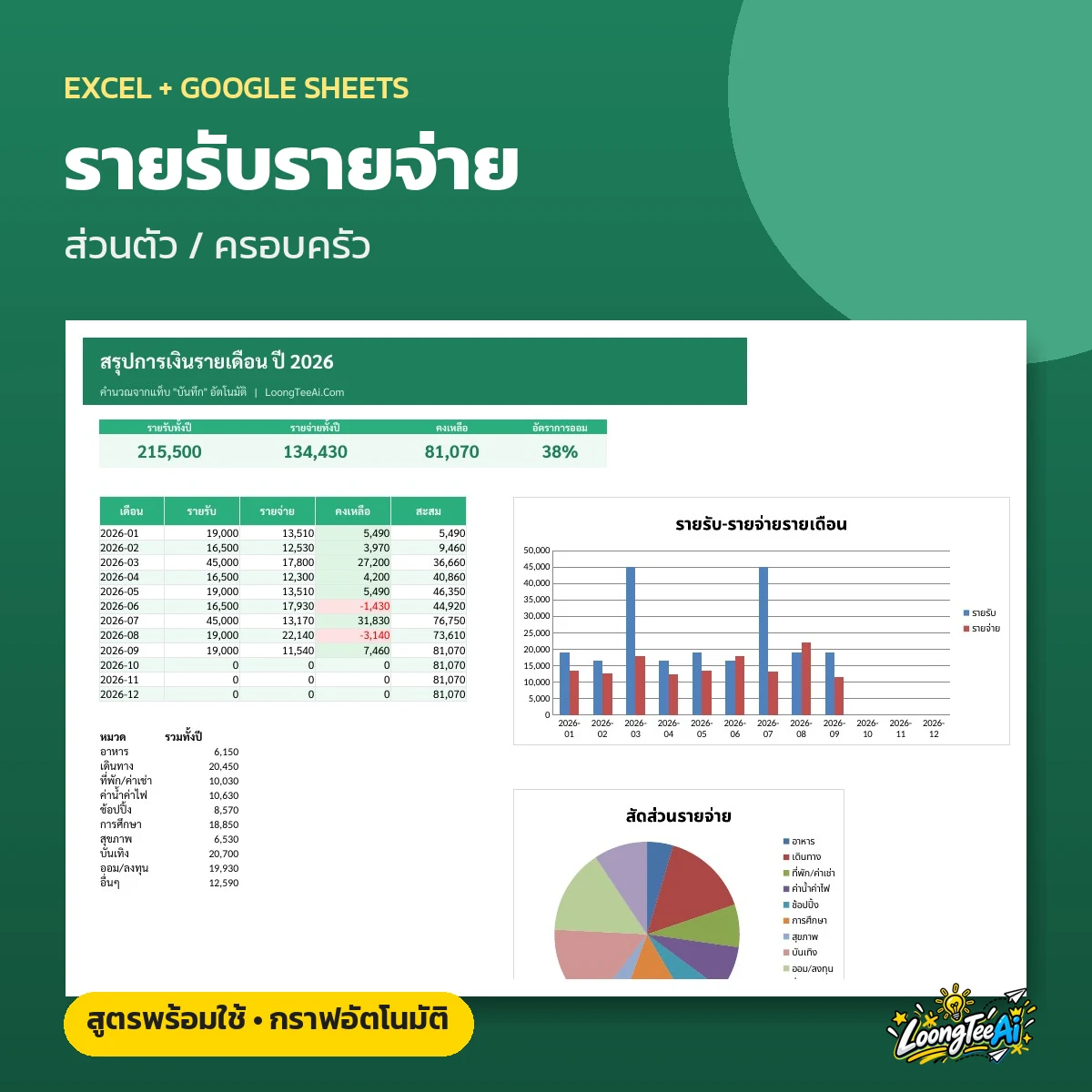
  • 12-month summary with bar and pie charts
  • Works in Excel and Google Sheets (copy link included)
฿99Lifetime
 

About this template

An income and expense tracker for individuals and families. Enter the date, category and amount, and the file totals each month, compares spending with your budget and charts the whole year. Works in both Excel and Google Sheets.

Screenshots from the real file

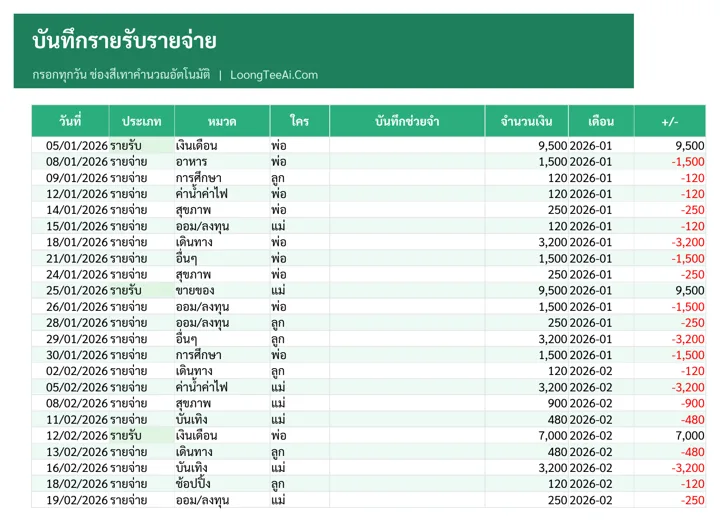
Log tab
Log tab
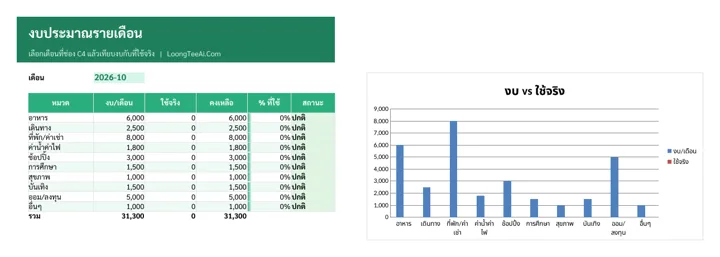
Budget tab
Budget tab
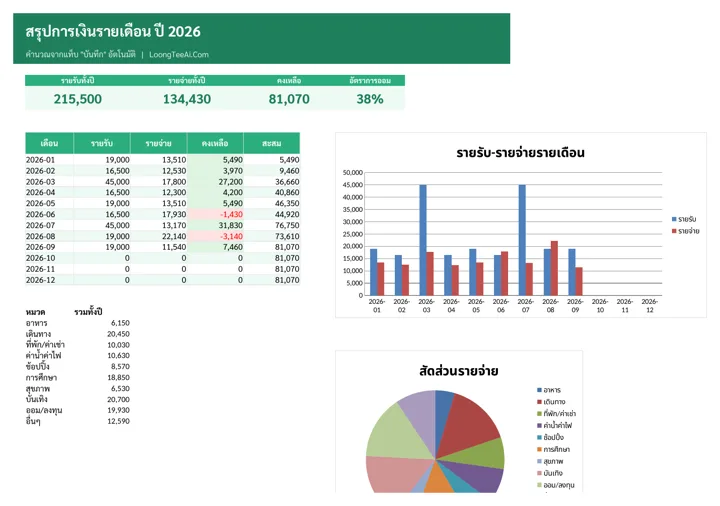
Monthly summary tab
Monthly summary tab
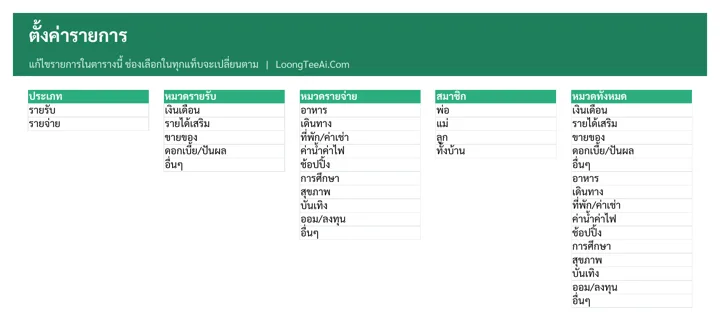
Settings tab
Settings tab

Who it is for

  • Working people who want to know where their salary goes
  • Families who want every member's spending in one place
  • Anyone who wants to start saving and set a monthly budget

What you get out of it

  • Know exactly how much goes to each category every month
  • See at once when you go over budget
  • See the whole year's finances on one page
  • Takes under a minute a day

What is inside the file

How to useGetting-started steps, list of tabs and what the colors mean
LogRecord daily income and spending. Pick type, category and member from drop-downs; month and +/- fill in automatically
BudgetSet a monthly budget per category and compare it with actual spending. Over-budget categories turn red, with a budget-vs-actual chart
Monthly summaryIncome, spending, balance and savings rate for 12 months, with a monthly chart and a spending breakdown
SettingsEdit income categories, expense categories and household members

How to use it

  1. In "Settings", edit the categories and household members
  2. In "Log", clear the sample data and enter date, type, category and amount
  3. In "Budget", set each category's budget; overspending turns red
  4. In "Monthly summary", see your balance, charts and savings rate

What you receive

  • Excel file (.xlsx), 73 KB, ready to download right after payment
  • A Google Sheets link that makes your own copy in Google Drive, usable on mobile
  • Sample data on every tab so you can see how to fill it in, then replace it with yours
  • Built-in formulas, drop-downs and color alerts

Frequently asked questions

Which programs does this template work with?

It works in both Microsoft Excel and Google Sheets. You get the .xlsx file to download plus a link to copy it into your own Google Drive.

Who is Personal & Family Income/Expense Template for?

Working people who want to know where their salary goes; Families who want every member's spending in one place; Anyone who wants to start saving and set a monthly budget

What's inside the file?

4 tabs: Log, Budget, Monthly summary, Settings, with all formulas built in.

Do I need to be good at Excel?

No. Just type into the marked cells; the file calculates and summarises everything, and includes a how-to sheet.

How do I get the file, and how much is it?

It costs ฿99. Once payment is confirmed, download the file and the Google Sheets link right away from your account page.

Product reviews

No reviews yet