📣 Top up ฿1,000+ get 5% bonus · ฿3,000+ get 10% bonus

Excel / Google Sheets Templates

Ready-made templates with formulas for Excel and Google Sheets

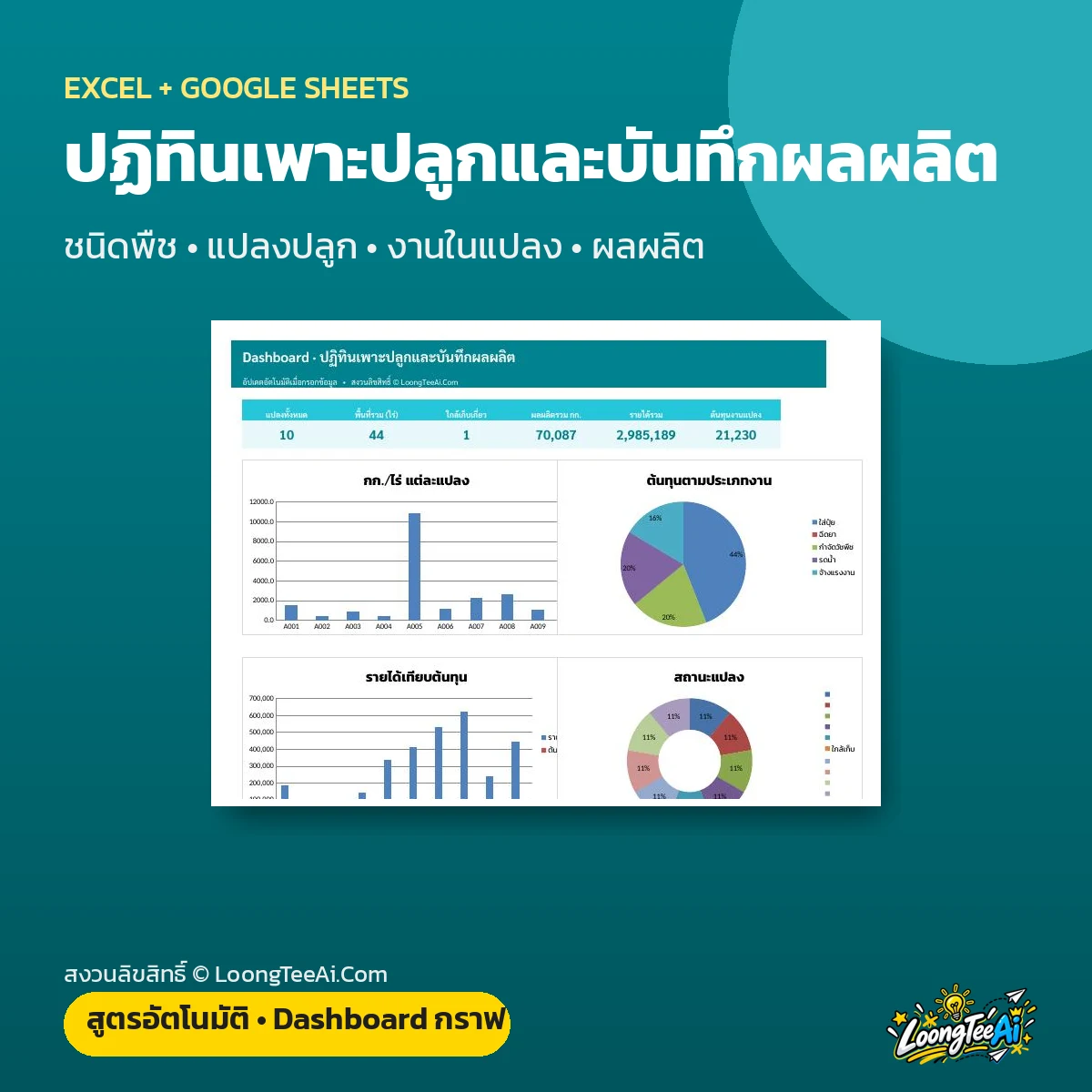
Planting Calendar & Yield Tracker
เทมเพลต Excel / Google Sheets

Planting Calendar & Yield Tracker

  • Plan plots and sowing dates; harvest dates come from crop age; log field work, inputs and actual yield per rai against target
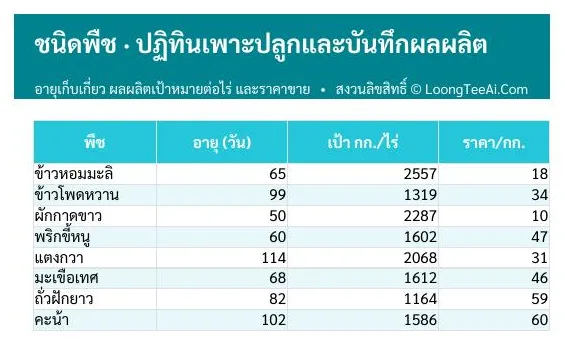
  • Crops tab: Days to harvest, target yield and price
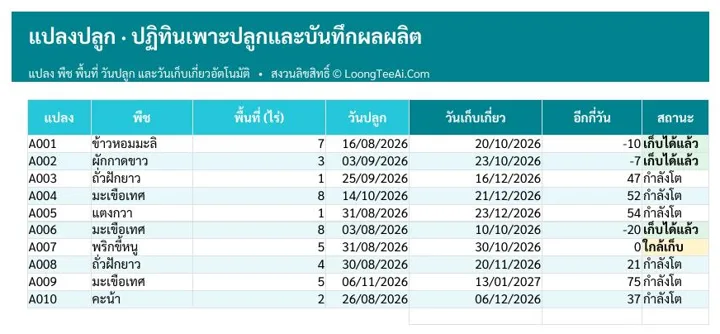
  • Plots tab: Plot, crop, area, sowing date and harvest date
  • Field log tab: Watering, fertiliser, spraying and cost
  • Harvest tab: Actual yield, per rai, vs target and revenue
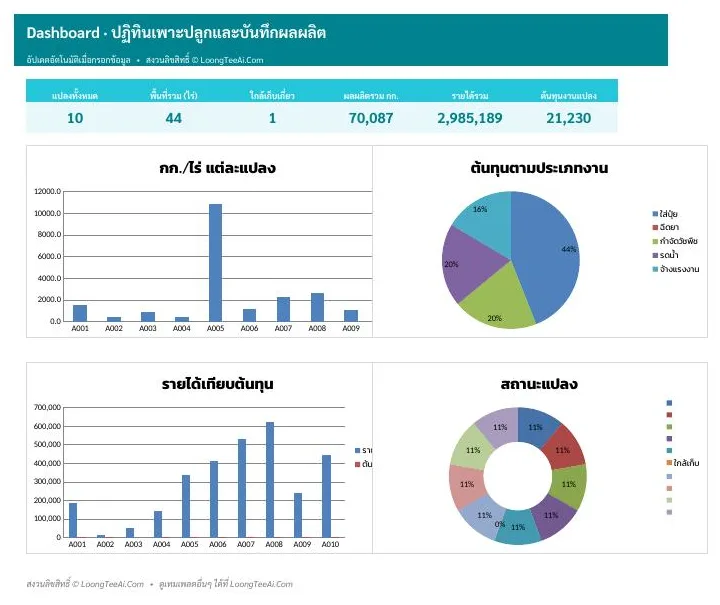
  • Dashboard with key numbers and charts that update automatically
  • Formulas, drop-downs and colour highlights are ready. Works in Excel and Google Sheets (copy link included)
฿99Lifetime
 

About this template

Plan plots and sowing dates; harvest dates come from crop age; log field work, inputs and actual yield per rai against target

Screenshots from the real file

Dashboard overview and charts
Crops tab
Crops tab
Plots tab
Plots tab

Who it is for

  • Farmers
  • Vegetable growers
  • Fruit farms
  • Farm cooperatives

What you get out of it

  • Never miss a harvest
  • Yield per rai for every plot
  • Organised farm records
  • One file for both Excel and Google Sheets

What is inside the file

How to useGetting-started steps, list of tabs and what the colors mean
DashboardKey numbers and charts that update as you enter data
CropsDays to harvest, target yield and price
PlotsPlot, crop, area, sowing date and harvest date
Field logWatering, fertiliser, spraying and cost
HarvestActual yield, per rai, vs target and revenue

How to use it

  1. Open "วิธีใช้" (How to use) to see the tabs and colour legend
  2. In "Crops", clear the sample rows and enter: days to harvest, target yield and price
  3. In "Plots", clear the sample rows and enter: plot, crop, area, sowing date and harvest date
  4. In "Field log", clear the sample rows and enter: watering, fertiliser, spraying and cost
  5. In "Harvest", clear the sample rows and enter: actual yield, per rai, vs target and revenue
  6. Open "Dashboard" for the overview and charts, calculated instantly

What you receive

  • Excel file (.xlsx), 51 KB, ready to download right after payment
  • A Google Sheets link that makes your own copy in Google Drive, usable on mobile
  • Sample data on every tab so you can see how to fill it in, then replace it with yours
  • Built-in formulas, drop-downs and color alerts

Frequently asked questions

Which programs does this template work with?

It works in both Microsoft Excel and Google Sheets. You get the .xlsx file to download plus a link to copy it into your own Google Drive.

Who is Planting Calendar & Yield Tracker for?

Farmers; Vegetable growers; Fruit farms; Farm cooperatives

What's inside the file?

5 tabs: Dashboard, Crops, Plots, Field log, Harvest, with all formulas built in.

Do I need to be good at Excel?

No. Just type into the marked cells; the file calculates and summarises everything, and includes a how-to sheet.

How do I get the file, and how much is it?

It costs ฿99. Once payment is confirmed, download the file and the Google Sheets link right away from your account page.

Product reviews

No reviews yet